Introduction
This post speaks about using Panel Control in ASP.NET Pages. Panel Control allows you to work with a group of ASP.NET Controls. You can use it to show or hide a group of controls.
Example:
The Panel control supports the following properties
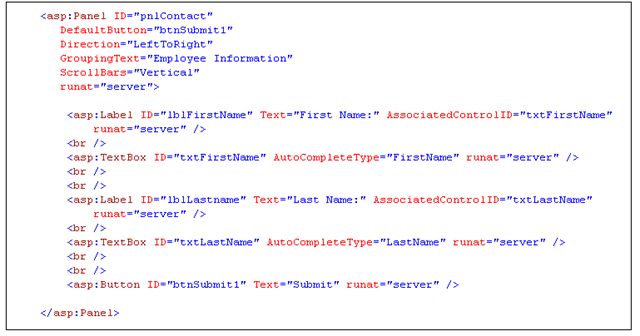
- DefaultButton When you set a value to this property, the default button in the panel is invoked when you press the Enter Button.
- Direction Enables you to set or get the direction of the text. Possible values are NotSet, LeftToRight and RightToLeft.
- GroupingText Enables you to render the panel control as a fieldset with legend.
- ScrollBars Enables you to display the scrollbars around the panel control.
By default panel renders with the Div tag and when you set the GroupingText property panel renders the fieldset tag.


This is best one article so far I have read online. I would like to appreciate you for making it very simple and easy. I have found another nice post related to this post over the internet which also explained very well. For more details you may check it by visiting this url………..
http://mindstick.com/Articles/fa39a423-e004-4707-89c1-75936fc17676/?Panel%20Control%20in%20ASP.Net
Thanks