Introduction
This post explains the procedure to develop the sample WCF Service and WCF Client in Visual studio 2008. Get an overview on WCF and WCF Terms.
1. Start open Visual studio 2008, Select new project option from file menu
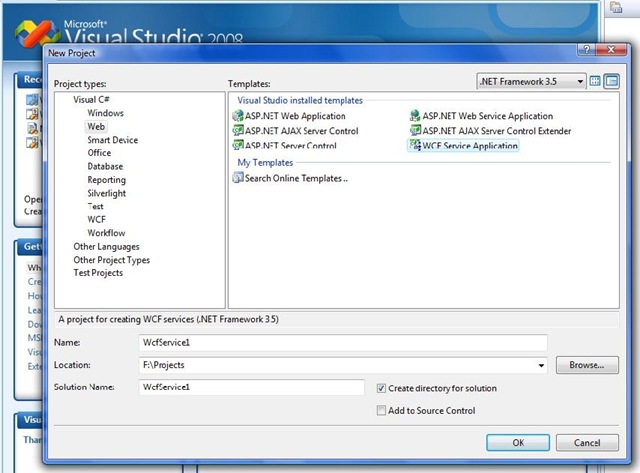
2. Select the WCF ServiceApplication template from the project templates.
3. WCF Service describes the operations that perform in a service contract.
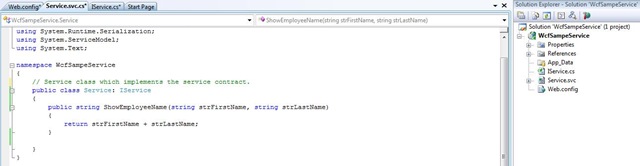
4.Declare the service contract in Iservice.cs interface and implement in the above Service class.
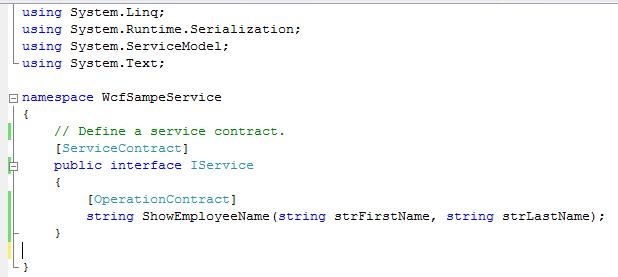
5. To test this service, you will need to create a client and use it to call the
service. You can do this using the svcutil.exe tool from the command line with
the following syntax: Generating a client using svcutil.
svcutil.exe http://localhost:53391/Service.svc?wsdl
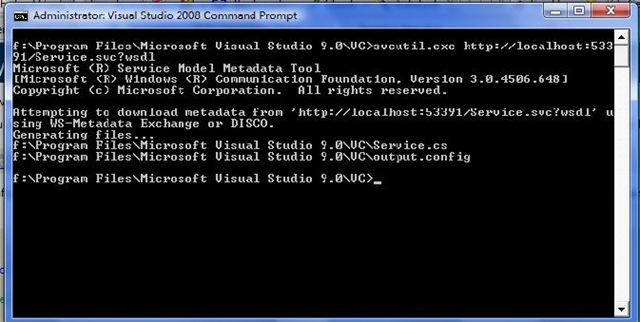
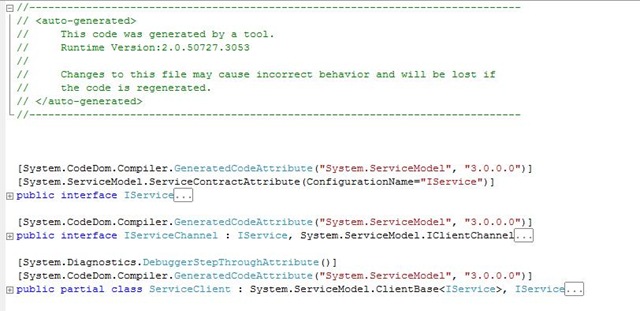
6. The above command generates a code file and configuration file contains the client class. Add the two files to your client application and use the generated client class to call the service.
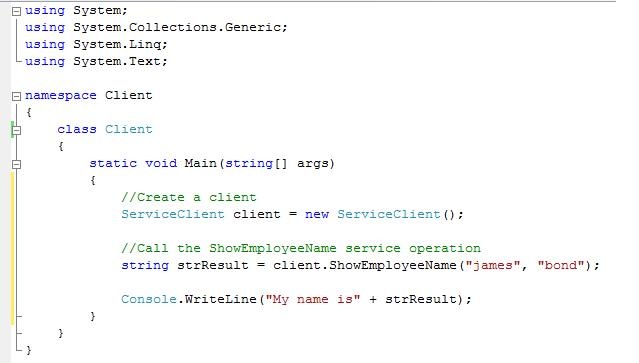
7. Client class which call the service looks like
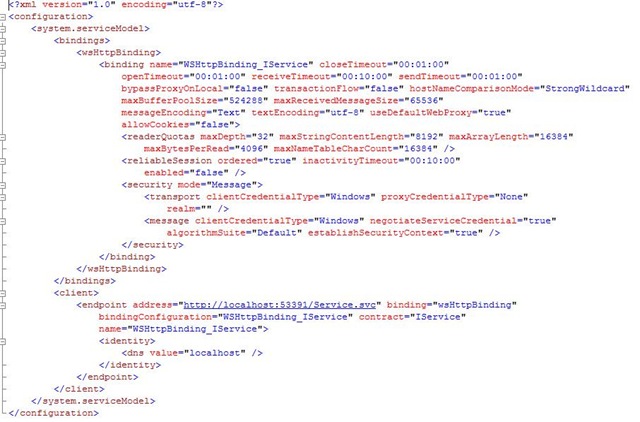
8. The generated client configuration file looks like
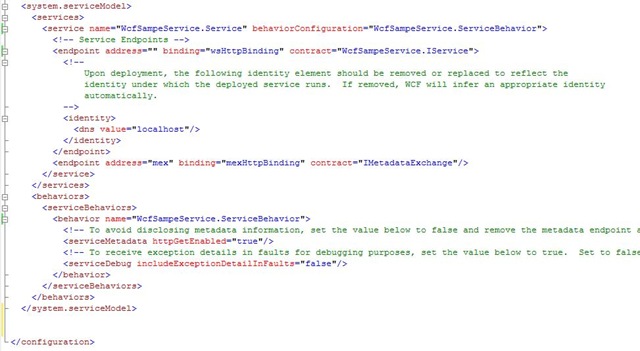
9. The service configuration file looks like
Conclusion
The above post explains shows the standard way to create a service and client and calling the service. The Next posts explains each feature in depth.


Developing WCF Sample in VS 2008…
You’ve been kicked (a good thing) – Trackback from DotNetKicks.com…
I think you missed one important point. Hosting of WCF Service. You haven’t covered it in your article. This blog I think is targeted towards beginner, so it should have been end-to-end solution. This is just constructive remark to your post. Nothing personal.
[…] post explains how to host a WCF service that we defined in the previous article WCF sample in VS 2008. Specifically we host the WCF service in .NET console […]
this is great but i have no svcutil.exe in my c:/program files/microsoft visual studio 9.0 folder can you adivse on where i can get this tool thanks.
i found the svcutil.exe in: \program files\Microsoft SDKs\Windows\v6.0A
worked great..
@scott: Go to Start -> Programs -> Microsoft Visual Studio 2008 -> Visual Studio Tools
and open Visual Studio 2008 Command Prompt, from there you can run svcutil.exe
Hi folk,
its a gr8 article. I followed the same what you have advertised. but while running the client app, iam receiving the following error:
“Could not find default endpoint element that references contract ‘IService1’ in the ServiceModel client configuration section. This might be because no configuration file was found for your application, or because no endpoint element matching this contract could be found in the client element.”
The above exception arises in following line:
Service1Client client = new Service1Client();
Can you please help me on this.
To study WCF in Visual Studio 2008
Thanks a lot for this post. It really helped me to solve my problem.