| By default SharePoint 2010 does not allow you to browse the Flash (.swf) files. In order to browse the flash files in SharePoint 2010 configure the below steps in SharePoint 2010 Central Admin. |  |
Note: By Default flash files render in SharePoint 2007 and these steps require in SharePoint2010
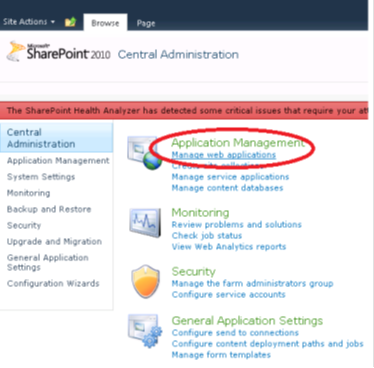
1. Go to SharePoint Central Admin then click on Manage web applications link
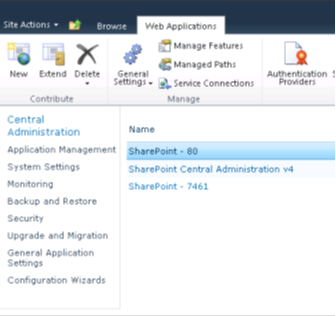
2. Select the web application where you want to show the flash files
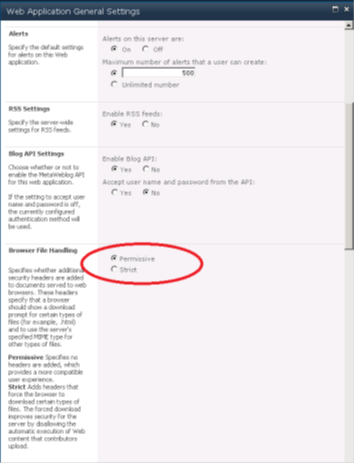
3. Select General Settings on the ribbon and set the Browser File Handling property to Permissive
| Share this post : |  |
 |
 |
 |
 |
 |
 |
 |
 |
 |
 |


[…] By Default flash files render in SharePoint 2007 and these steps require in SharePoint2010 1. Go… Read more… Categories: .NET SharePoint Share | Related […]
Hey, can anyone tell me about the the basic difference between the two versions of the Microsoft share point.. As i am pretty much comfortable with the older one,than should i still move on to the newer one…